
Emmet- An Essential toolkit for Developers

Now we have the basic understanding of html, we can move forward and see how we can write html in more efficient and faster manner. If you don’t know html basics refer to this blog.
As we have understood HTML consists of a basic structure that we need to create every time, it is essential without it you can’t write the advanced HTML. HTML also includes different tags which need to be opened and closed and correct ordering of them is important. There are many times like in forms or tables where you need to repeat tags. All these things make writing HTML very boring and repetitive. To tackle this developers created a shortcut tool for HTML—Emmet.
Emmet
Emmet is a toolkit used for fast writing HTML. What it does is it basically converts abbreviations into full code, you write just a piece/symbol and full code appears. This saves so much time and avoids repetitive typing. This also increases the speed of writing of code while making the process more enjoyable. Just think about it you writing 50 times <li></li> just because a list had 50 elements, surely a tiresome work.
How to use Emmet in code editors?
Using Emmet is actually quite simple. You must be using a code-editor to write your code. The most famous one of them - VS code already has built in Emmet into it. You just have to type the abbreviation and then press tab or enter and full HTML code will appear on the screen. Now we are going to deep dive into some of the most common use cases of Emmet.
Generating Full Boilerplate code
Before writing HTML we need a basic structure of HTML which includes head body title etc tags. This is called the boilerplate code. We can generate this very easily using Emmet through the below mentioned process.
Create a folder on your system
Open it through VS-code.
Create any HTML file, here the file name is index.html.
Type
!in the editor.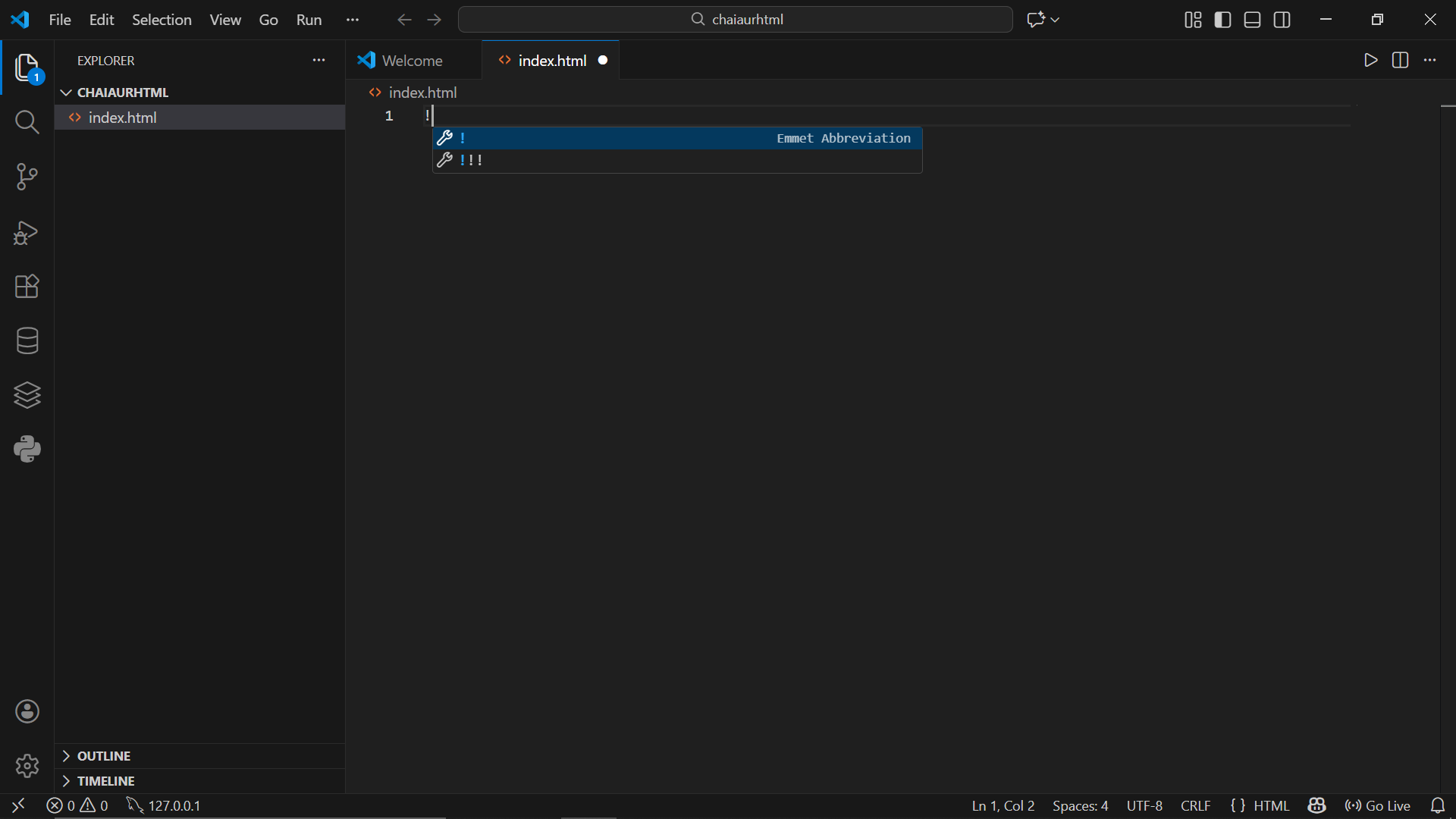
Press enter.
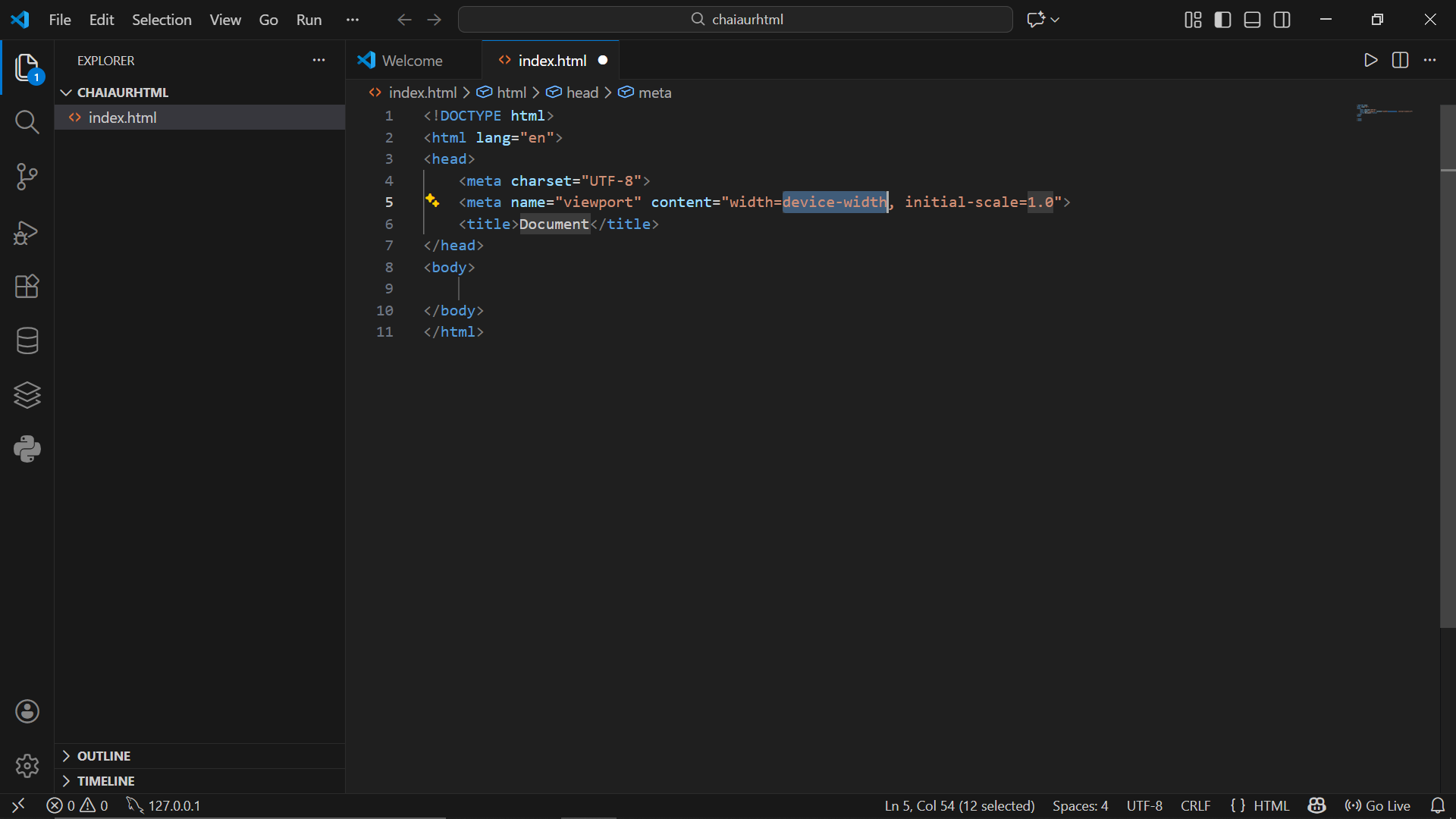
Full HTML boilerplate code will be generated which can be used now.
Creating simple elements
Emmet also takes care of the opening and closing of the tags by itself. You don’t need to close the tag, just write the opening tag and it will be generated automatically.
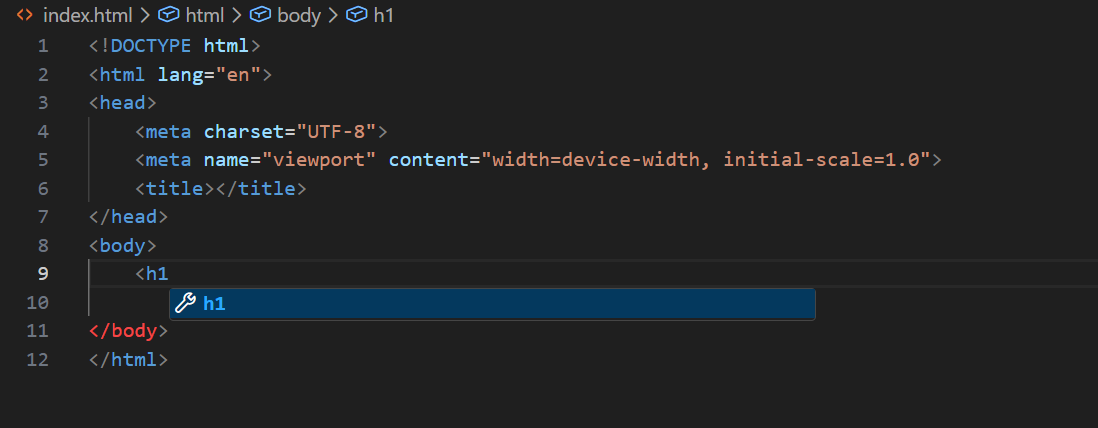
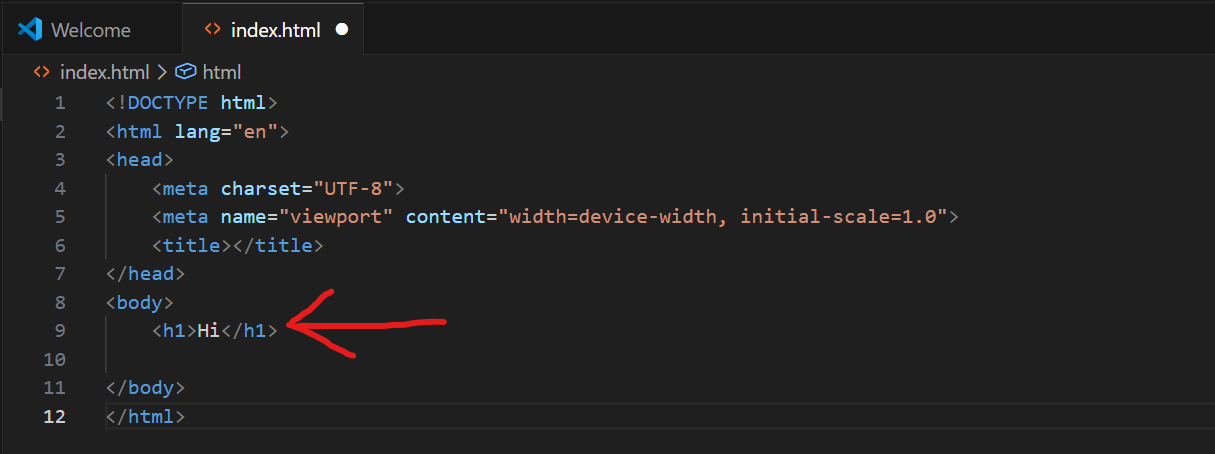
As you can see in the above example, i just wrote the opening <h1> tag and Emmet automatically generated the closing tag. Do try this by yourself as showing the magic here is not possible.
Creating Nested elements
Many times in HTML we need to create nested elements which follow parent child relationship. Emmet can easily generate such codes, the abbreviation being used is > .
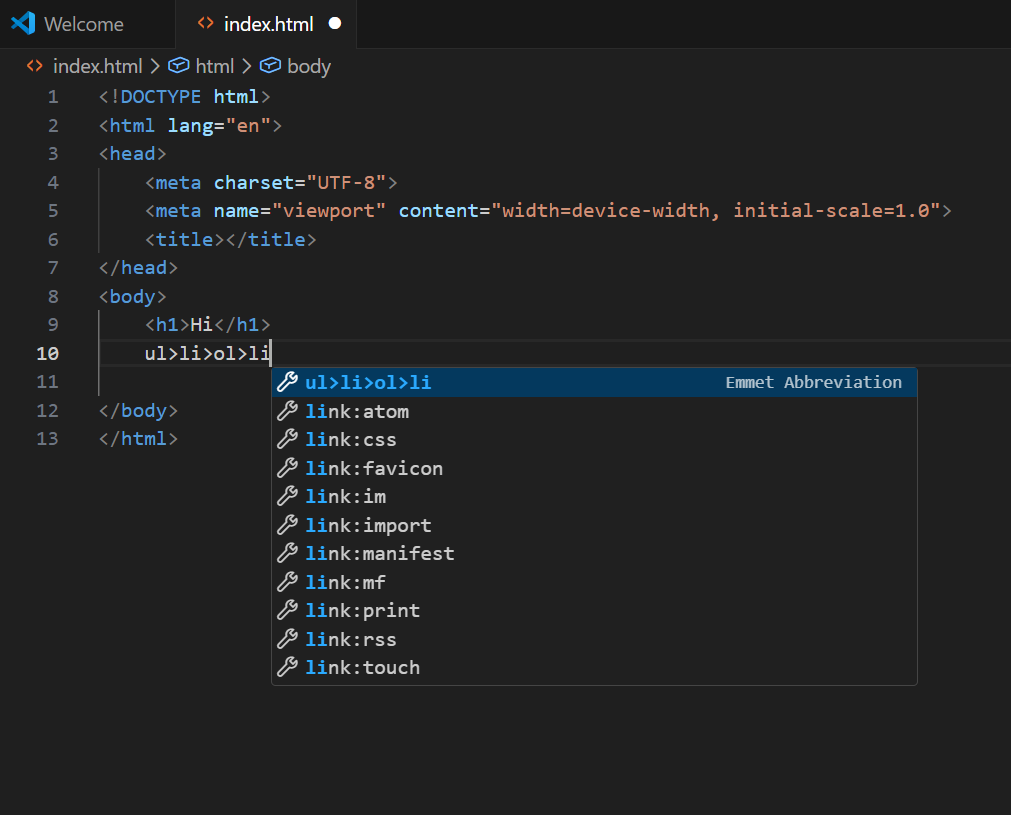
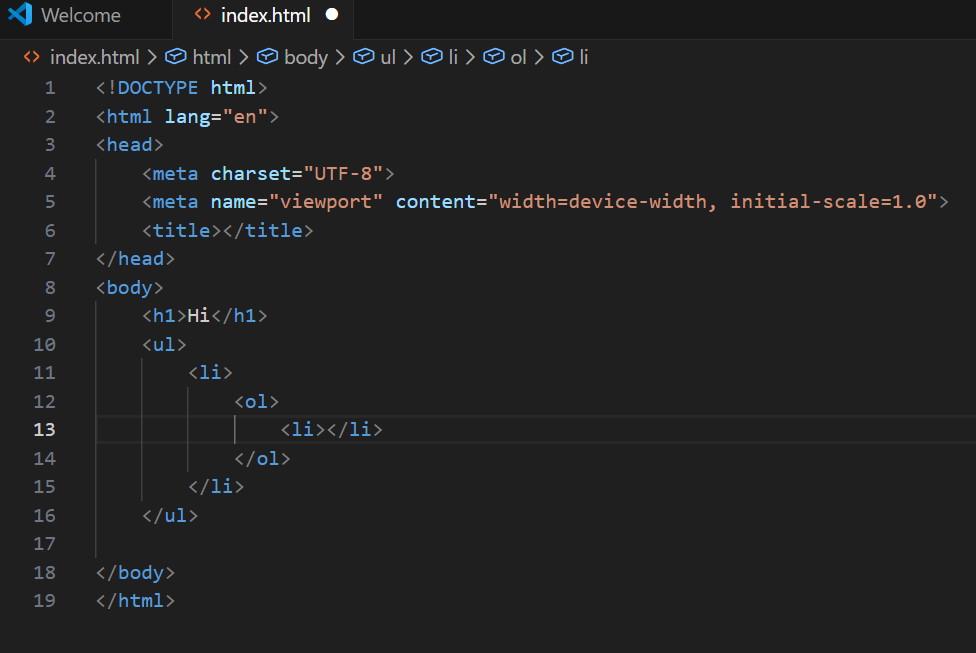
The example displays creation of an ordered list inside an unordered list. Similarly other tags can be nested.
Multiplying Elements
Many time we are required to use the same tag again and again. For this the abbreviation * can be used.
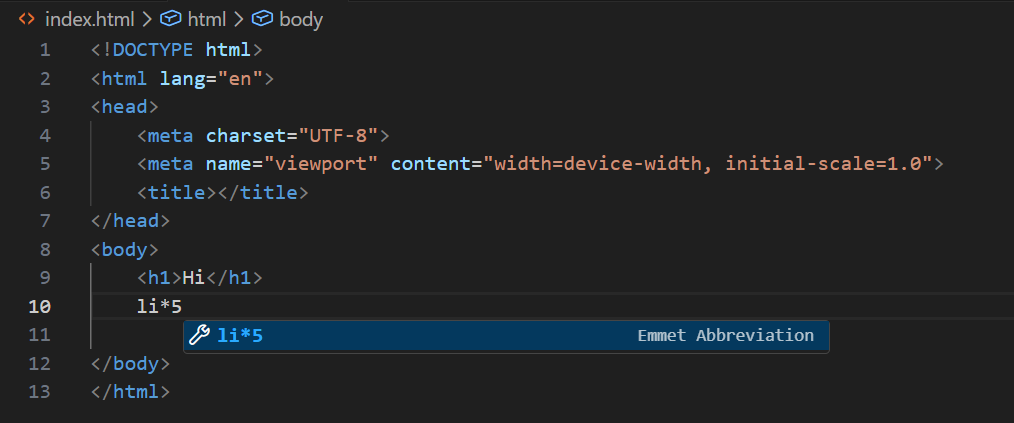
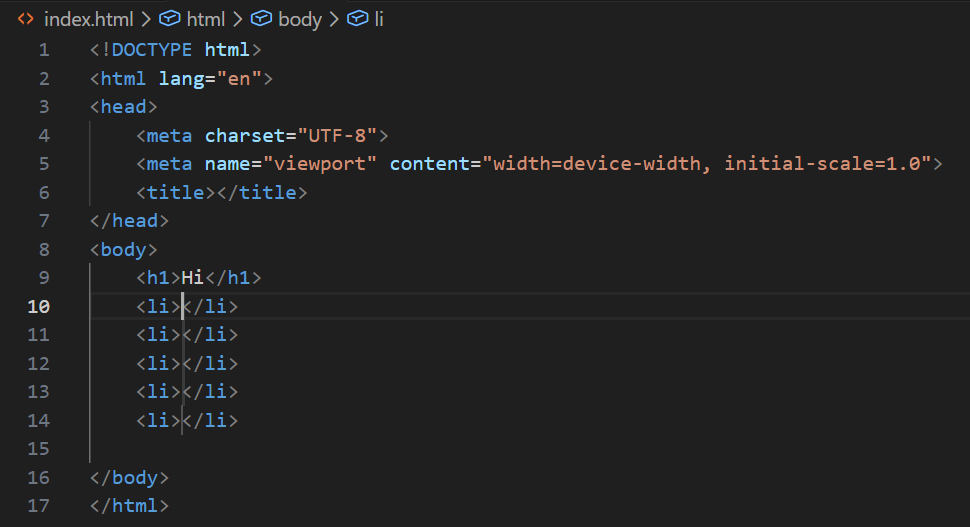
The above example showcase how fast we can generate any number of list items. This avoids the repetitive work of writing the same tag again and again.
Conclusion
Through this article, we have seen how Emmet makes writing HTML faster and more efficient by reducing repetitive typing. It helps generate boilerplate code, handle nesting, and repeat elements with simple abbreviations, saving both time and effort. There are many Emmet abbreviations, you don’t have to worry to memorize them all at once, over time as you will use it you will start to remember it. Remember Emmet is a tool made to make your life better and easier not to stress you more.